after blog
a mastering plugin that fights back. by KREATE SOUNDZ.
Takes your beat from finished to finished. One big LOUD knob, a clipper you can see, and a reference strip that finds the part of the track you're chasing. Inf lifts the quiet stuff, Kaje tames the harsh stuff, and BLOG tells you how he feels about your levels.
download after blog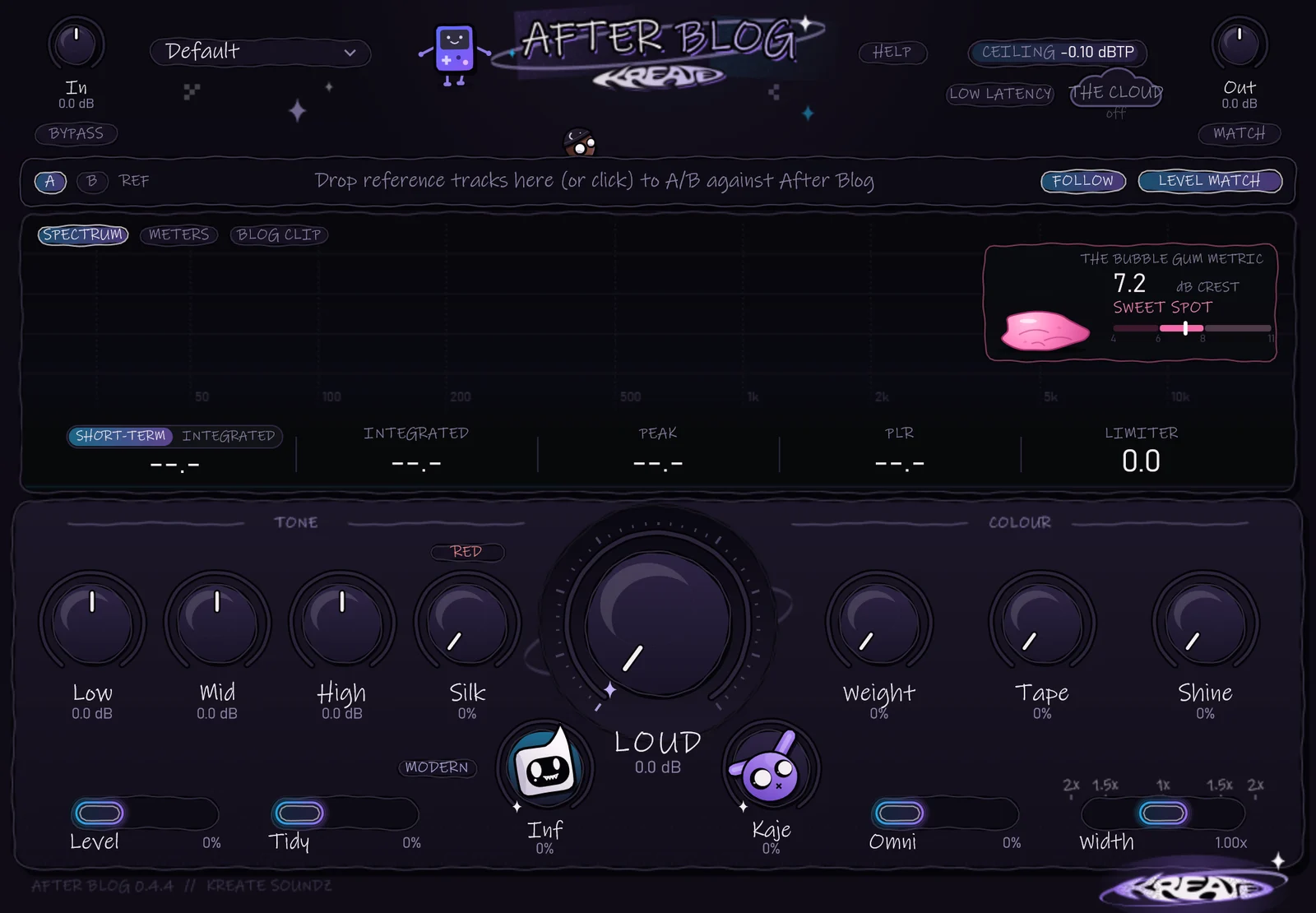
what's what✦
Hover a number to see what it does. Everything takes typed values too: click the number under any control.
- 1in & bypasshow hard you hit it, or turn the whole thing off
- 2presets29 factory presets plus your own, saved right in the dropdown
- 3kreate-modances on the beat. poke him for Game Mode
- 4helpa guided tour, hosted by Kreate-Mo
- 5ceilingtrue-peak ceiling. 0 turns it off
- 6low latencyunder 1 ms, for when you're still tracking
- 7the cloudfinds the busiest spot in your mids and opens it out wide
- 8out & matchmatch evens the level so you hear the change, not just "louder"
- 9reference stripdrop a track, flip A/B. it follows the most similar part of the song and loops in bars
- 10spectrum / meters / blog clipthree views of what's going on
- 11the bubble gum metricyour punch, as gum. squished = dense, bubble = open & punchy
- 12loudnessshort-term, integrated, peak, PLR and limiter, all in one row
- 13tonelow, mid, high. broad and musical
- 14silkred adds shine to the highs, blue adds weight to the lows
- 15LOUDthe big one. turn it up
- 16inf & kajeInf lifts the quiet bits up, Kaje pulls the harsh top down
- 17colourweight, tape and shine: thickness, glue and air
- 18level & tidylevel evens out the quiet and loud bits, tidy cleans up ringing resonances
- 19omni & widthomni rides the loudness up, width only ever widens
- 20the KREATE logosent BLOG away? this calls him back
look around✦
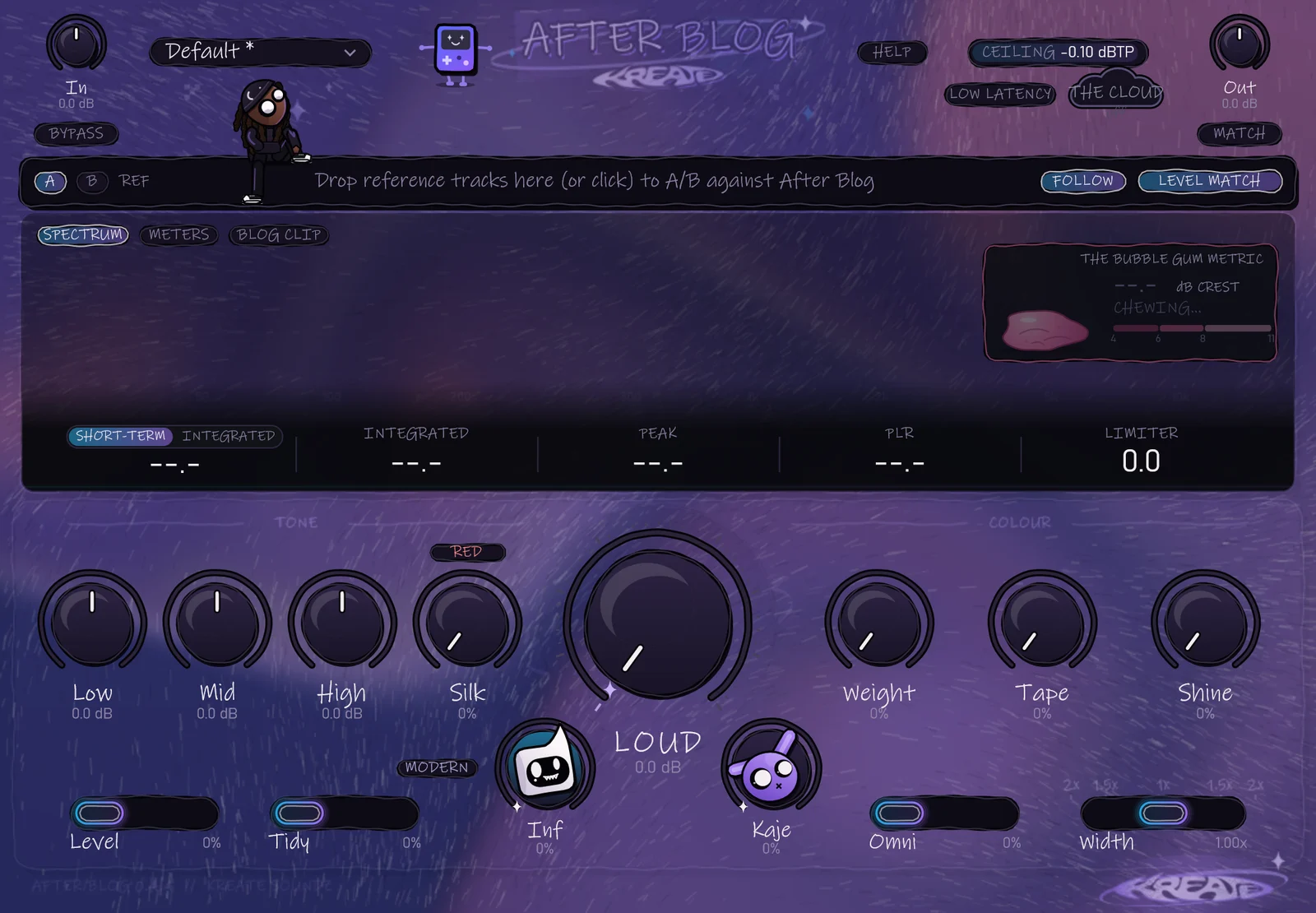
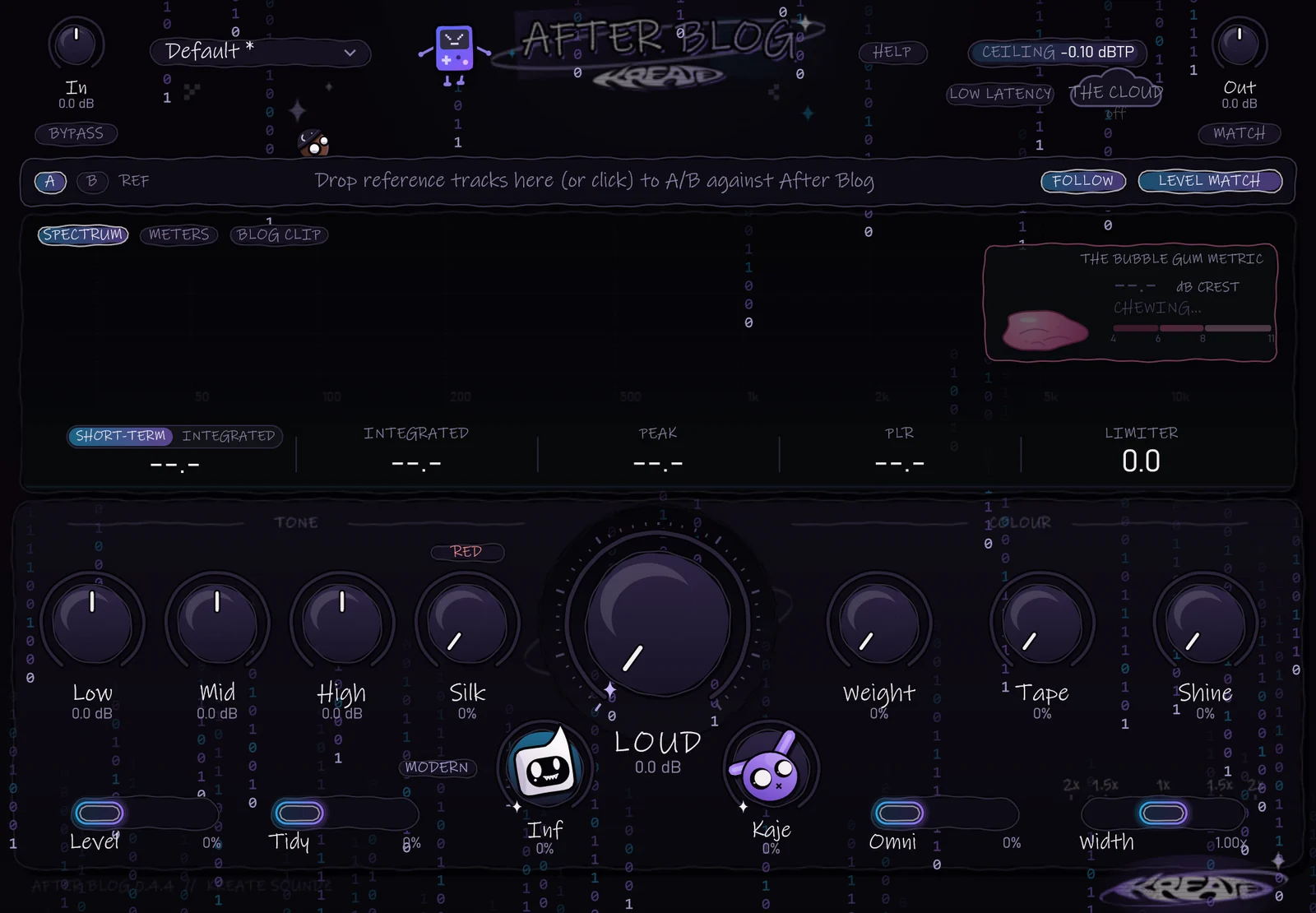
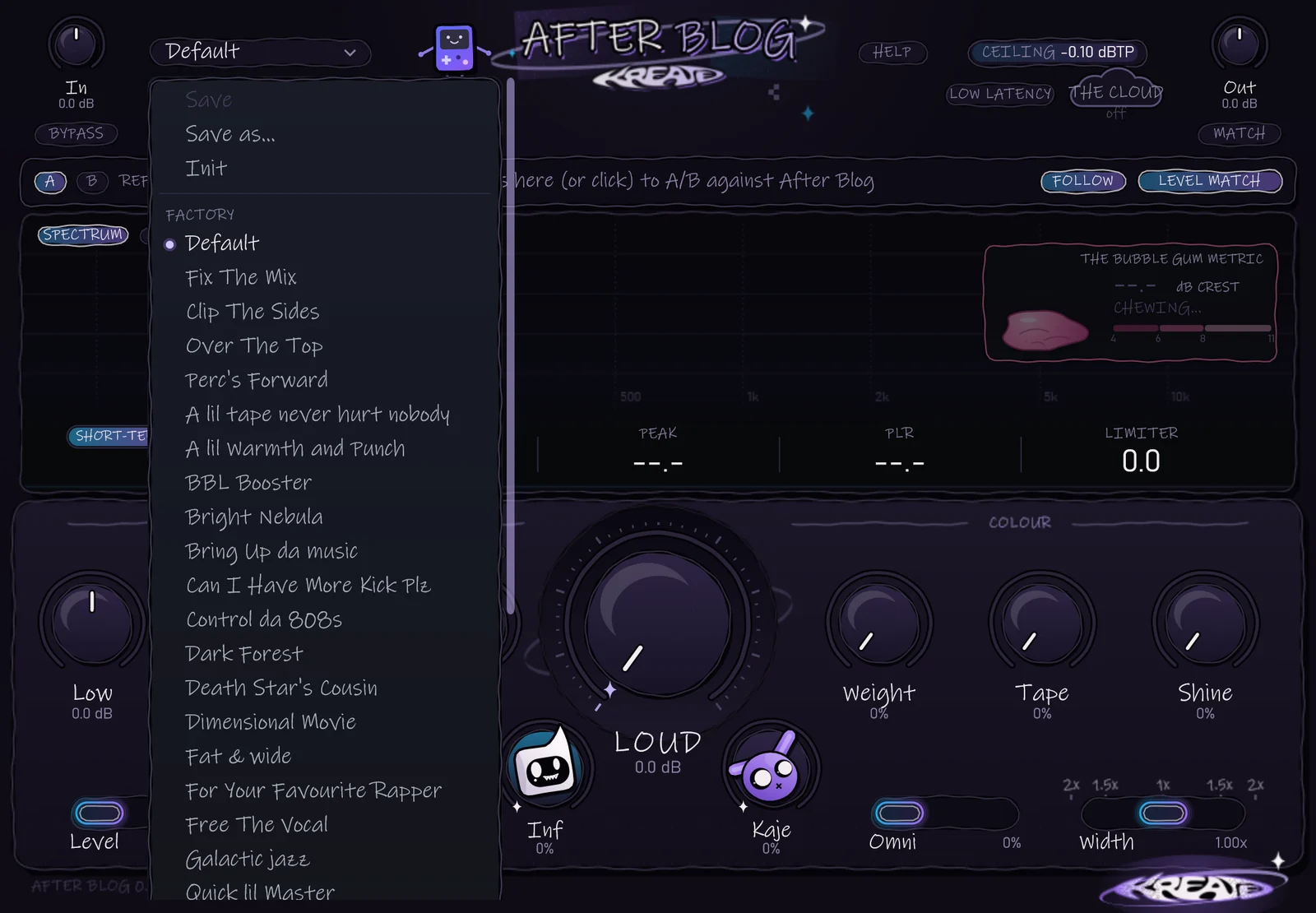
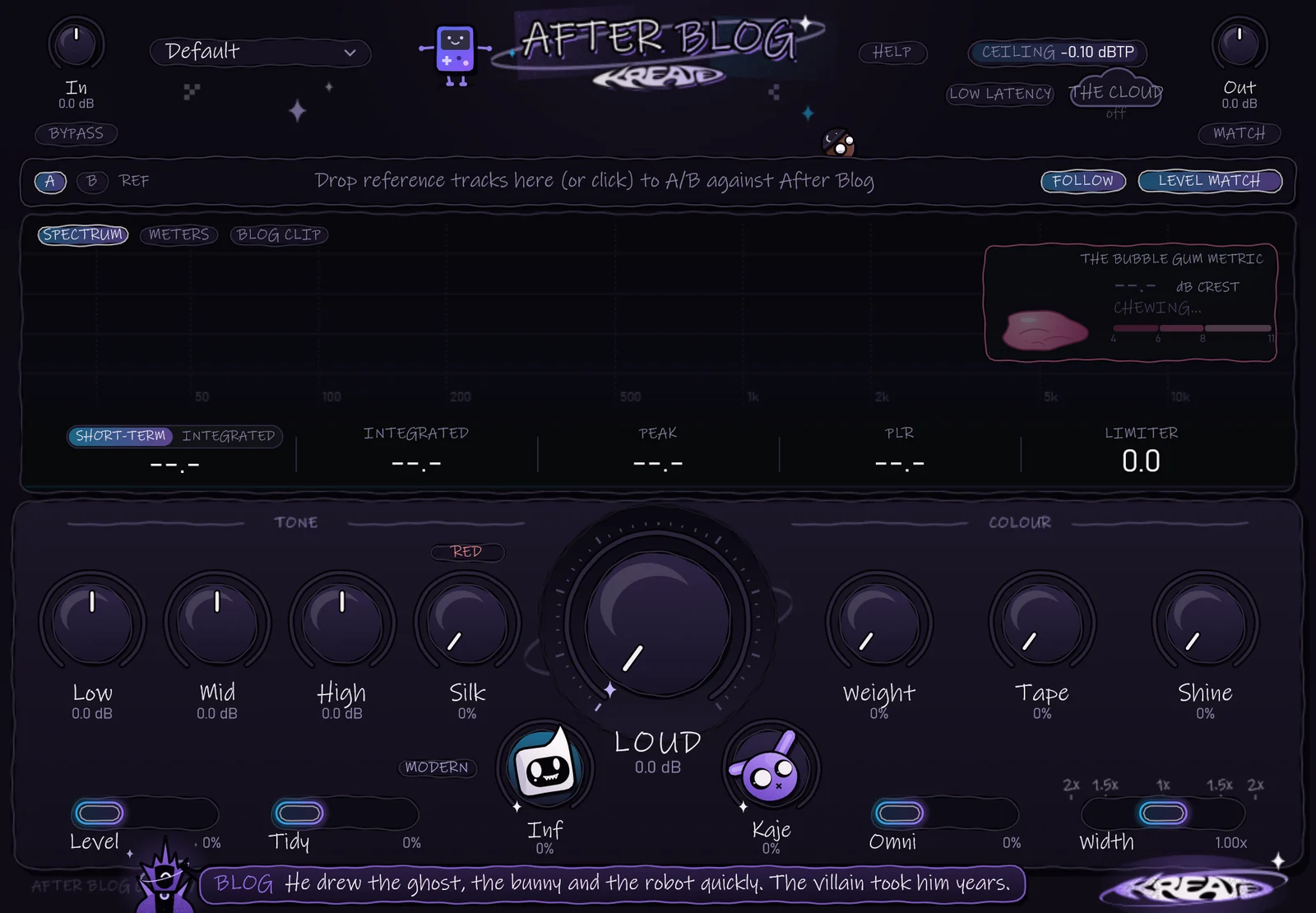
After Blog has a few moods.
spectrum
The everyday view: your spectrum, the Bubble Gum Metric and every loudness number you need. Watch short-term while you set LOUD.
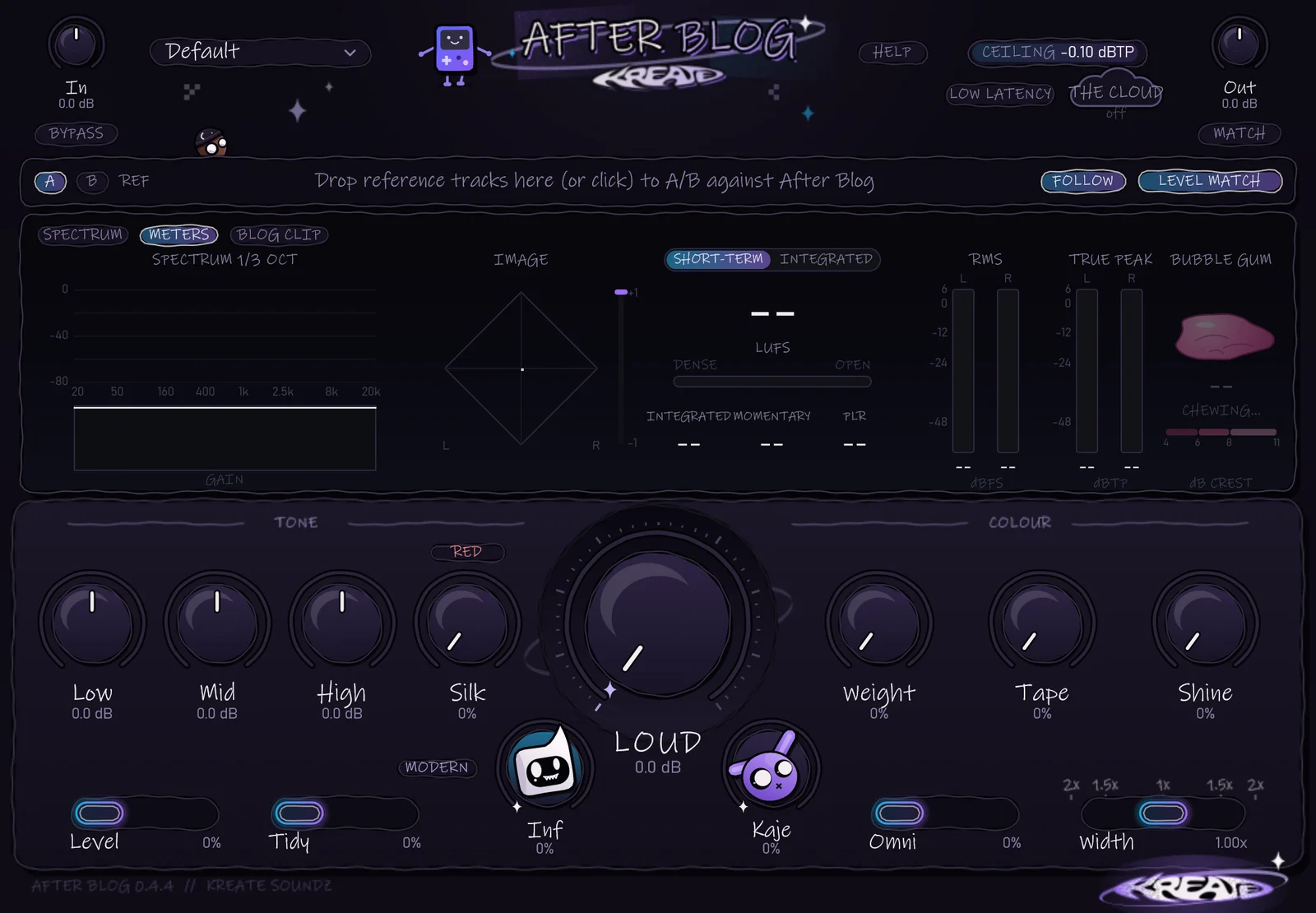
meters
⅓-octave bars, a goniometer, LUFS with a dynamics bar, RMS / true peak, and a gain history so you can see what the chain is doing over time.
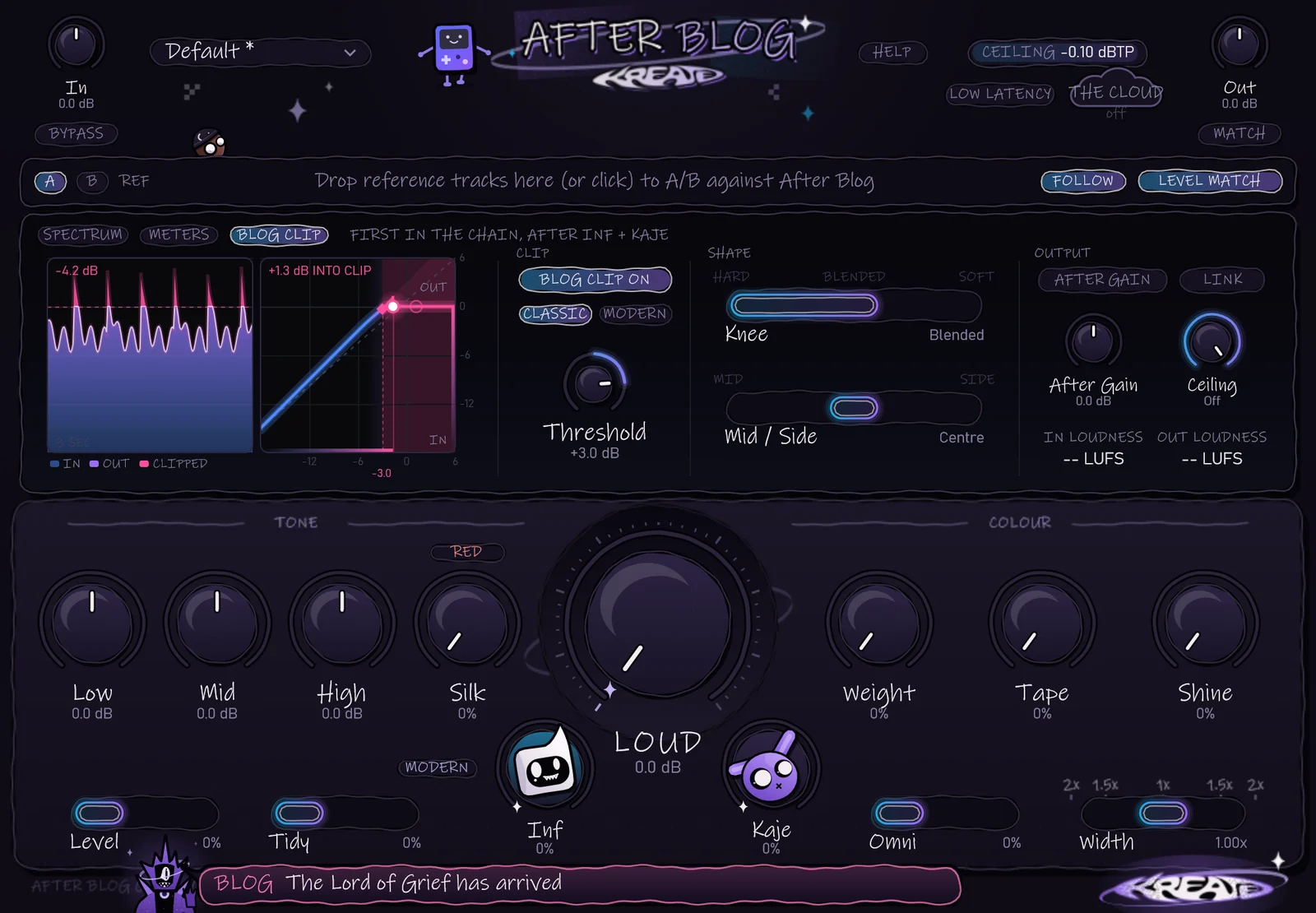
blog clip
A clipper you can actually see. Classic or Modern, a knee from hard to soft, mid/side bias, and a transfer curve with a live dot riding it.
kreate zone
Click KRXTORRR on the ref strip and he sits down, the screen melts into a crayon wash, and the low mids get thick and warm. Drag him up or down for more or less.
game mode
Poke Kreate-Mo. The binary rain falls, his eyes go pixel, and a squeeze kicks in that tightens up the whole master.
presets
29 factory starting points from "Fix The Mix" to "Quick lil Master". Save, rename and delete your own right in the dropdown.
BLOG
Every so often the Big Lord Of Grief shows up with something to say about your loudness, your punch or your clipper. Right-click him if you need some peace.
listen✦
Same beat, before and after. Hit play and flip between them, they stay in sync.
signal flow✦
Left to right, this is the order your audio goes through. Scroll sideways to follow it.
inf, kaje & BLOG CLIP
Peaks get handled early, in stages, so nothing later has to slam.
tidy, omni & level
Resonances smoothed out, loudness ridden up gently, quiet and loud evened out.
zone, tone & texture
Kreate Zone, tone, width, The Cloud, then weight, tape, silk and shine.
LOUD & the ceiling
Turn it up, then a true-peak ceiling that never goes over.
who lives in here✦
They're not just decoration. Each one runs part of the sound.

Inf
Lifts the quiet parts of every hit, so the body comes forward without touching your peaks. His smile grows as you turn him up.

Kaje
Pulls harsh top end down only when it gets close to the ceiling. The beast stays, the bite goes.

Kreate-Mo
Steps to your host's tempo, hosts the tour, and switches on Game Mode. Right-click to pick his dance.
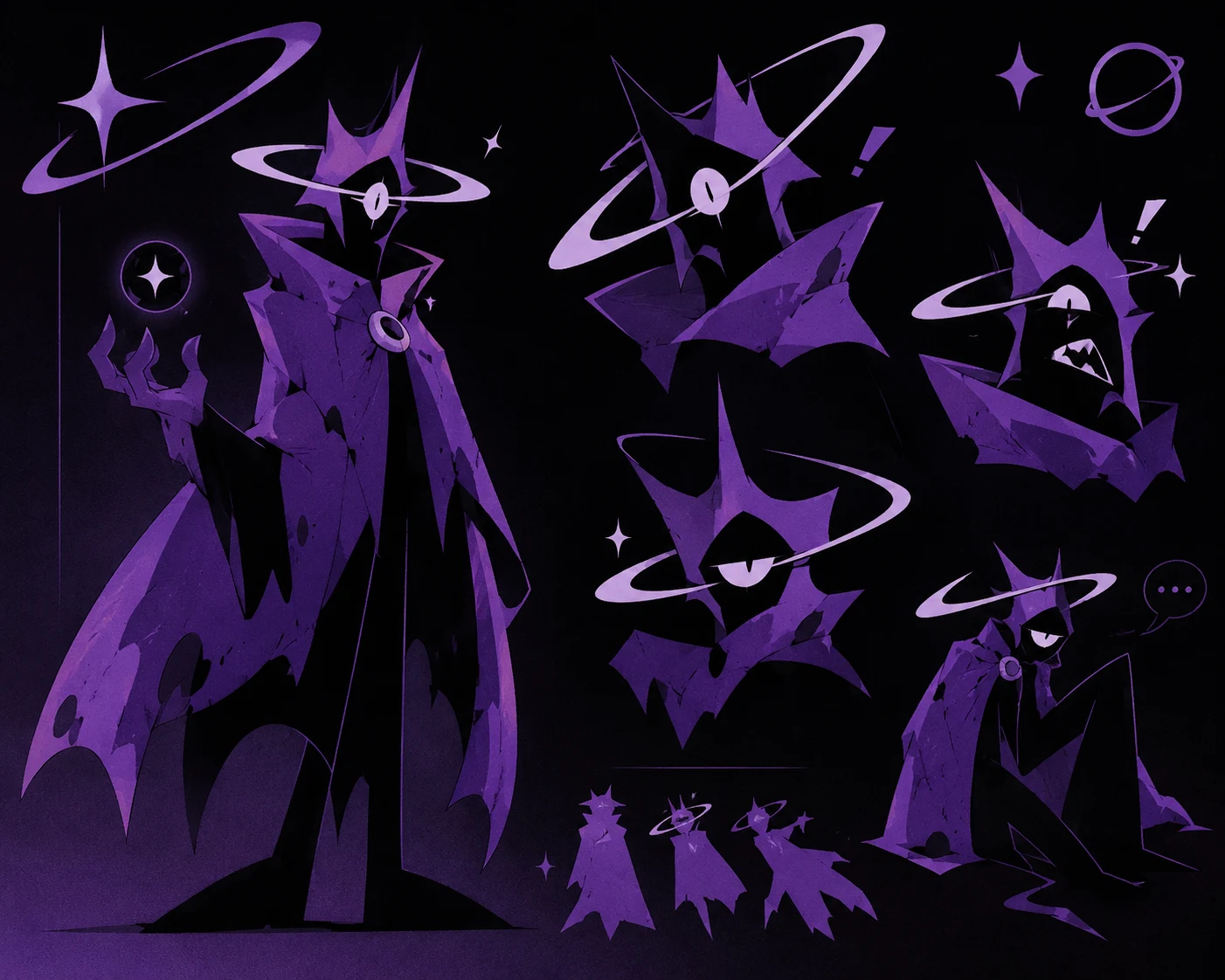
BLOG
Reads your short-term loudness, punch, limiting and clipping, then tells you about it. He has 158 things to say.
get after blog✦
Pick your system. Restart your DAW after installing (FL Studio keeps plugins in memory).
windows
Windows 10 or 11, 64-bit. Comes with the installer, a quick-start README and the full PDF manual.
download for windowssupport KREATE✦
After Blog is free while it's in testing. If it ends up on your masters, chipping in keeps new tools coming out of Grief.
Bugs, ideas, or a preset you're proud of? Bring them to the community.
join the discord